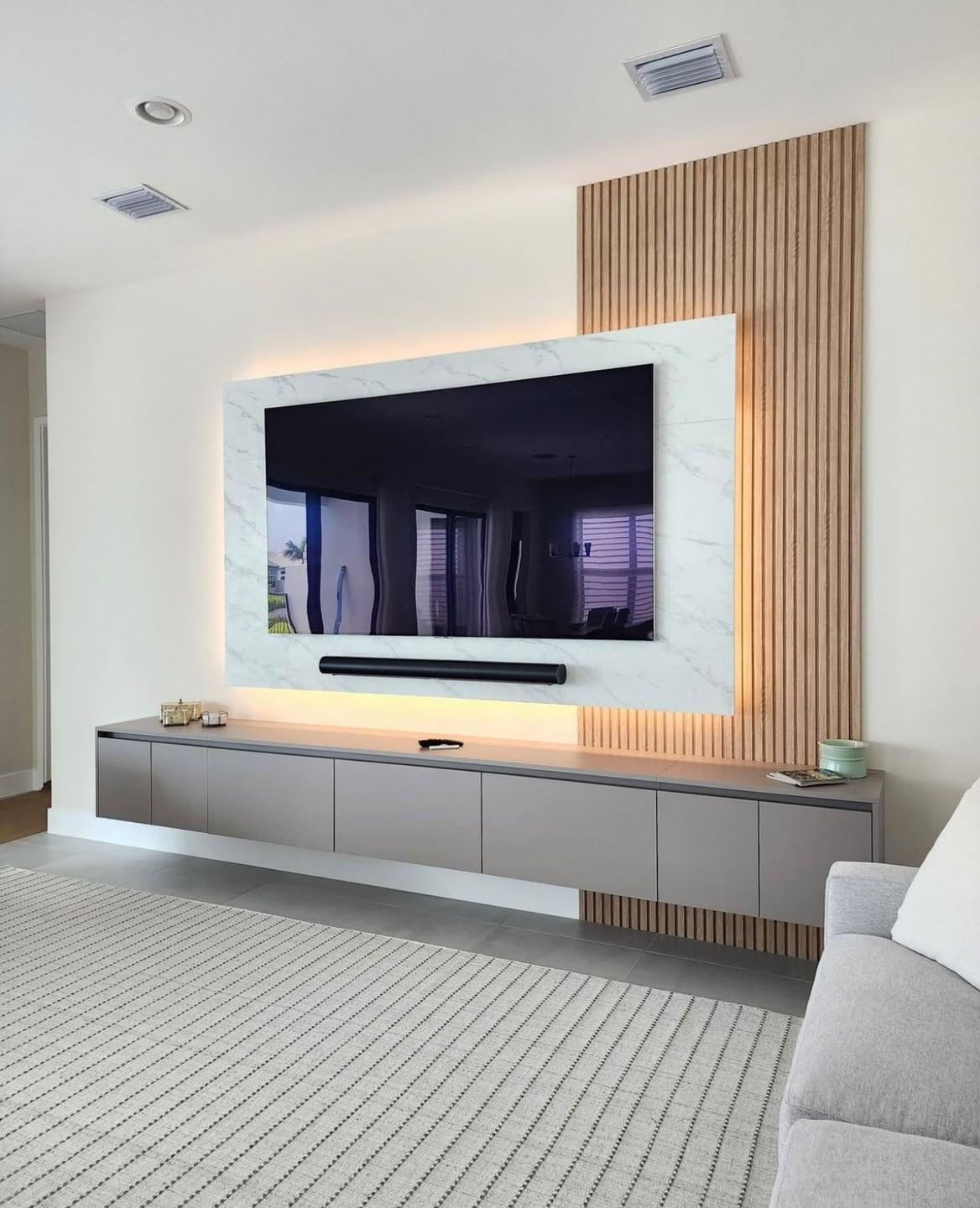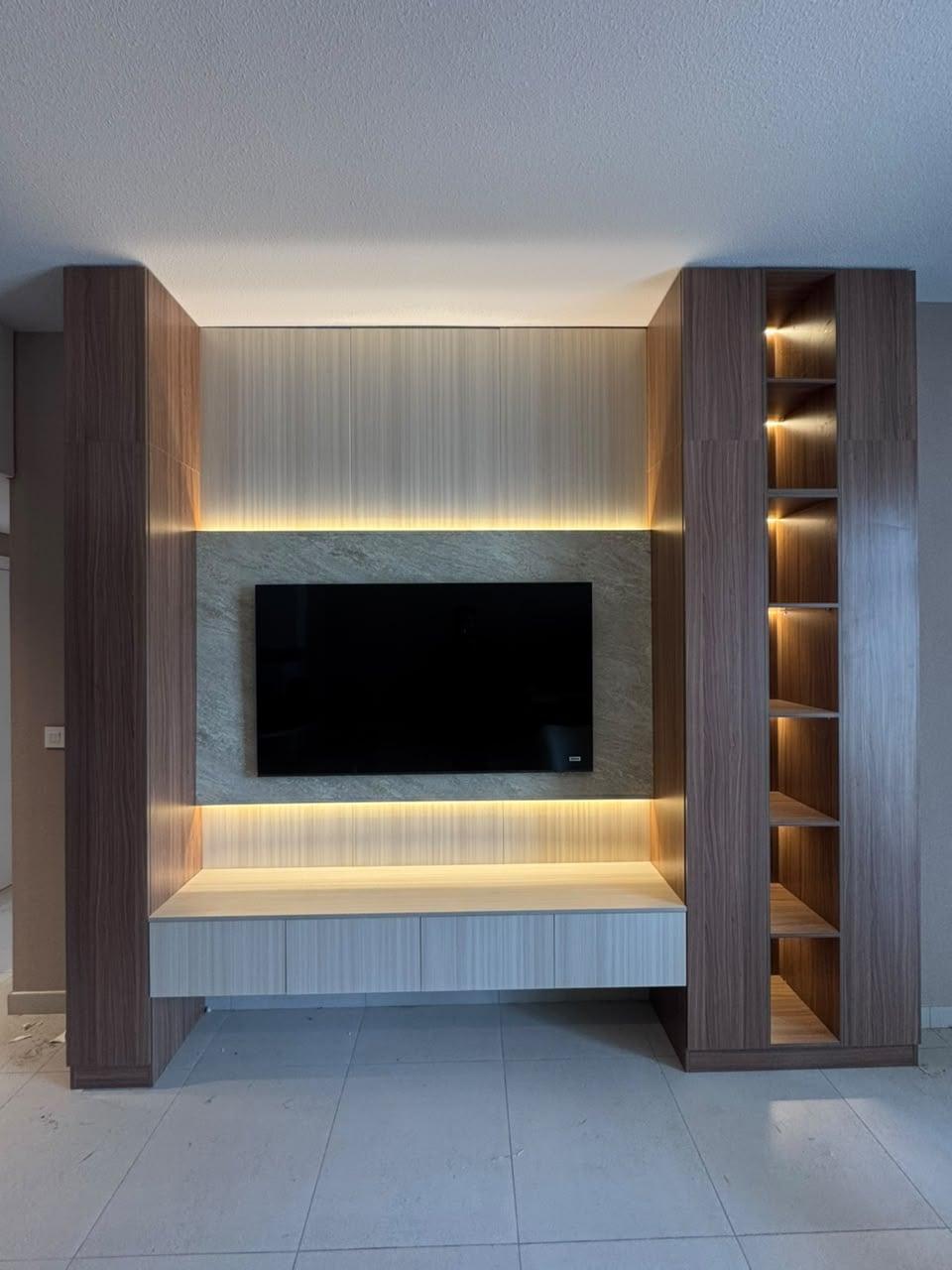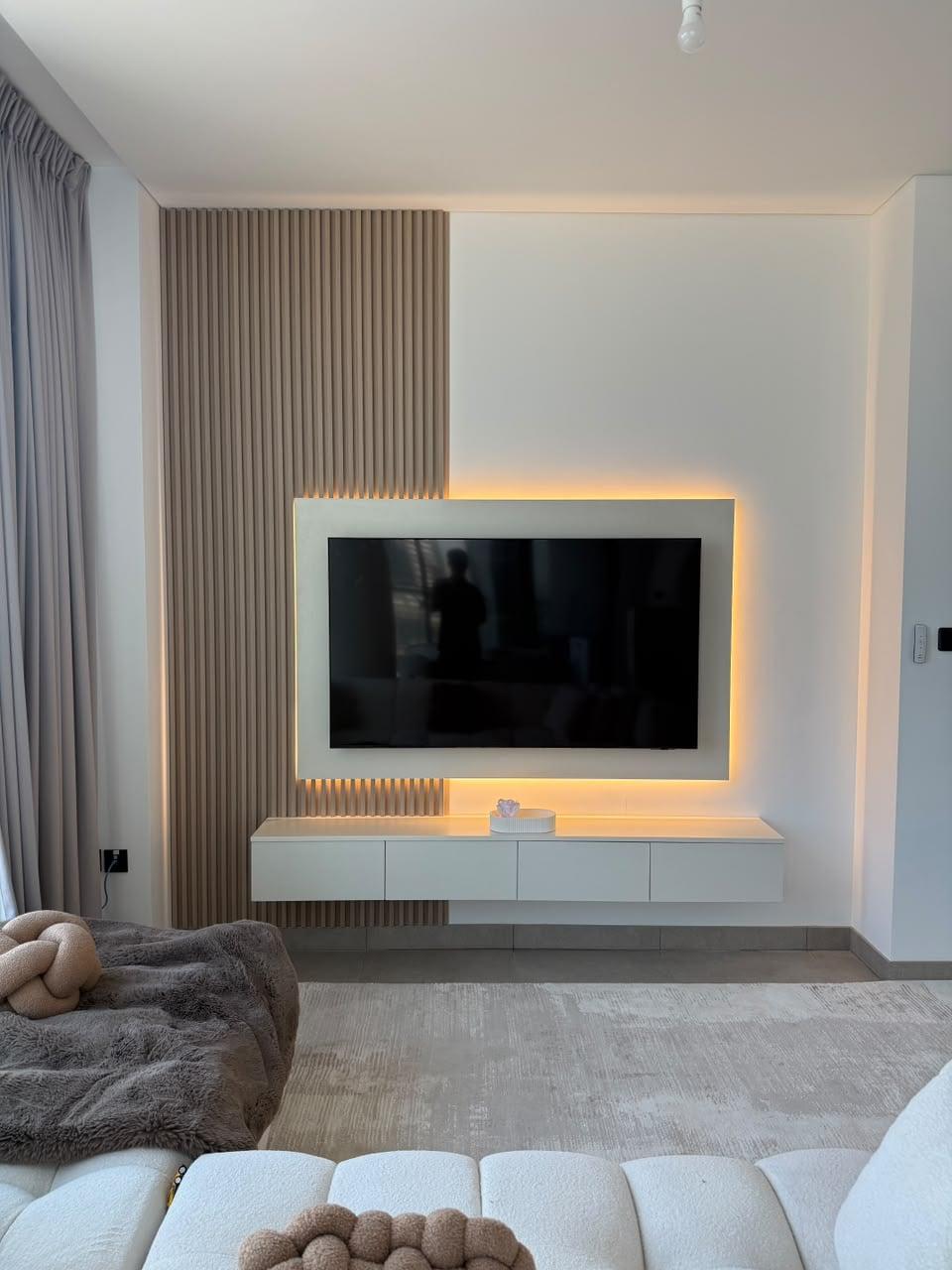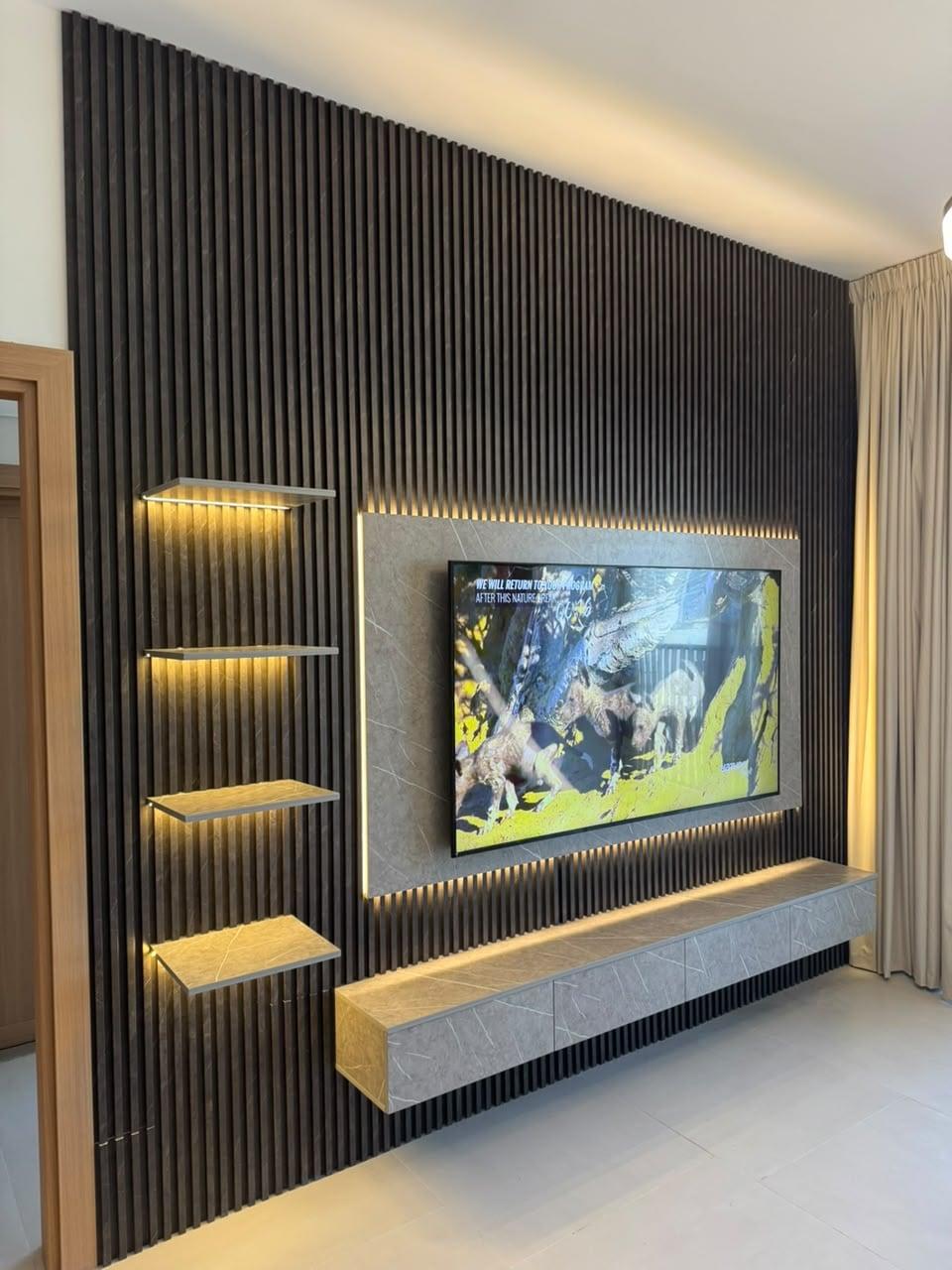
Media Walls · 21 min read · 3 October 2026
TV bracket types for a media wall: fixed, tilt or full motion?
Fixed, tilt or full-motion TV bracket for your media wall? What VESA means, how the weight rating works, what a niche allows and what to put on the drawing.

By Ali Haider Basra, Founder, Al Tareeq Decor · Contact our workshop
Key takeaways
- Choose tilt for a TV above eye level or opposite a window, fixed for a TV at eye level in a plain room, and full motion only when the screen must really turn.
- The VESA pattern is the same for fixed, tilt and full-motion brackets (MantelMount): read the pattern on your TV first, then choose a type.
- A bracket fits when its patterns include the TV's and its weight rating is above the TV's weight (Mount-It); the rating is for the bracket, not the wall.
- A longer arm pulls harder on the top fixings, so a full-motion bracket needs a wider backing, and a niche needs room for the swing.
- Send a photo of the wall, the TV size or model and whether you rent on WhatsApp; the drawing names the bracket type, backing and fixing points before production.
On this page
- Key takeaways
- Which TV bracket for a media wall: the short answer
- The three bracket types and what each one trades away
- Bracket types compared for a media wall
- What VESA means and why the hole pattern comes first
- The weight rating: compare the right numbers
- The load path: from the bracket to the wall
- A niche changes everything: swing, depth and air
- Height and angle: where tilt earns its place
- Cables and sockets behind a bracket
- Rented homes: brackets, fixings and permission
- Planning for the next TV
- Three rooms, three brackets
- Mistakes that spoil a bracket plan
- Seven questions to ask before the bracket is chosen
- What we do about it
- Send us the wall and the TV on WhatsApp
- Common questions
Which TV bracket for a media wall: the short answer
For most media walls, choose a tilt bracket if the TV sits above eye level or opposite a window, and a fixed bracket if the TV sits at eye level in a plain room. Choose a full-motion bracket only when the screen genuinely has to turn: a corner position, an open-plan room watched from two areas, or a TV that must swing out of a niche. The bracket is a decision about movement, and movement costs space, strength and tidy cabling, so the least movement that does the job is the right amount.
That sentence hides the more important point. On a media wall the bracket is one link in a chain: TV, bracket, backing board behind the panel, fixings, and the wall or frame at the end. A beautiful bracket on a weak link is still a weak chain. This guide takes the bracket end of the chain: the three types, what the hole pattern on the back of the TV means, what the weight rating has to be compared with, what a niche allows, and what to ask for in the quotation. The wall end is in block wall or gypsum wall: what holds a TV, and the height question is answered in TV height on a media wall.
We do not recommend a bracket brand or give a weight or distance figure here. The pages we opened for this guide describe the types and the standard clearly, but none gives a figure for a type as a whole that we could verify, and a number that belongs to one product should never be generalised. What we can give you is the method, the questions and the drawing detail that make any good bracket work.
The three bracket types and what each one trades away
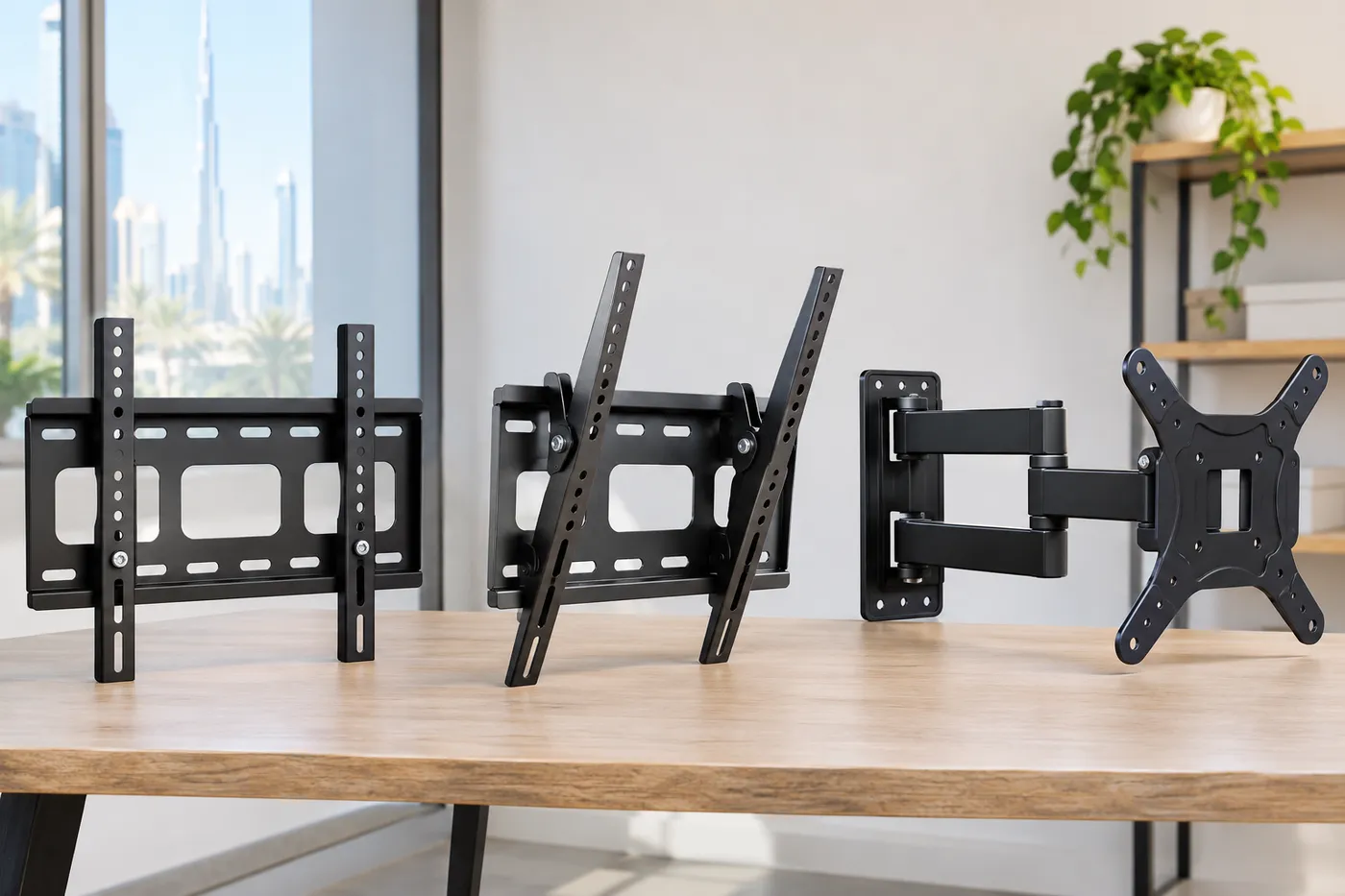
Mount-It's guide to VESA mounts puts the first choice in one line: decide if you need a fixed, tilting, or full-motion mount. The three differ in how much the screen can move and, as a result, how far it sits from the wall, how much the fixings are pulled outward and how easy it is to reach the sockets behind the TV.
A fixed bracket holds the screen close to the wall at one angle. It gives the slimmest look on a media wall, the lowest leverage on the fixings and the neatest finish where the TV sits flush between panels. What it takes away is the ability to reach round the back: the sockets are behind a screen that cannot move, so they have to be planned with care. A tilt bracket lets the screen angle up and down. It is the sensible choice for a TV mounted higher than eye level, because the screen can face down towards the seats, and it helps with reflections from a window or a bright lamp. It takes a little more depth and gives a little more access behind the screen.
A full-motion bracket, also called an articulating bracket, adds an arm. The screen can extend away from the wall and swing sideways, which serves a room watched from two places, a corner, or a niche where the TV must come forward to be reached. The price is depth when the arm is extended, a longer lever on the fixings, and a cable loop that has to be planned for the full travel of the arm. On a media wall it is the type that most needs a drawing, because the arm needs room to swing inside whatever surrounds it.
A word on adjustable range. Tilt is usually a small adjustment, not a tilt of the whole screen, and a full-motion arm's reach is stated in its own datasheet. Ask for both numbers before the niche is drawn, because they decide the depth and width you have to leave.
Bracket types compared for a media wall
What it does
- Fixed
- Holds the screen at one angle, close to the wall
- Tilt
- Lets the screen angle up and down
- Full motion
- Extends the screen and swings it sideways
Best for
- Fixed
- A TV at eye level in a plain room
- Tilt
- A TV above eye level or opposite a window
- Full motion
- A corner, a two-way room, a niche you pull the TV out of
Look on the wall
- Fixed
- Slimmest, flush between panels
- Tilt
- A little off the wall at the bottom
- Full motion
- Depends on the arm; the TV is far forward when extended
Load on the fixings
- Fixed
- Lowest
- Tilt
- A little more than fixed
- Full motion
- Highest when extended
Reaching the sockets
- Fixed
- Hardest
- Tilt
- Easier
- Full motion
- Easiest, once the arm is out
What to put on the drawing
- Fixed
- Cable slack and plug positions
- Tilt
- Tilt range and the clear space below
- Full motion
- Arm reach, swing room and the cable loop
A planning summary in our words from the pages listed under the article and from how we build; no distance, angle or weight figure is given because none was verified for a type.
- 1. Fixed: the screen sits closest to the wall and does not move.
- 2. Tilt: the screen angles up and down and sits a little off the wall.
- 3. Full motion: an arm extends and swings the screen sideways.
- 4. The longer the arm, the more the top fixings are pulled outward.
What VESA means and why the hole pattern comes first
On the back of almost every TV there are four threaded holes in a rectangle. That rectangle is the VESA pattern, and MantelMount's guide defines it simply: the four mounting holes on the back of the TV or monitor and their configuration. A pattern of 100 by 100 means the screw holes form a square 100 millimetres apart. The first number is the horizontal distance and the second the vertical, both in millimetres. The standard behind it, VESA's flat display mounting interface, is adopted by most TV manufacturers.
The most useful sentence in the guide for a bracket decision is this one: whether a TV wall mount is fixed, swivelling, tilting or articulating, the VESA mounting size is always the same. In other words, the pattern is about matching the holes; the type is about movement. You can choose the two independently, and you should: first read your TV's pattern, then choose a type.
Mount-It's guide gives the matching rule: a mount fits when its supported patterns include your screen's pattern and its weight rating is above your screen's weight. Two conditions, both written on the box or the datasheet. If the patterns differ slightly, the same guide notes that VESA adapter plates can bridge them, and One For All adds that some of its brackets are universally adjustable in VESA size, which means they can be adjusted horizontally and vertically to fit more than one pattern. Whatever bracket you buy, the packaging or datasheet will say which patterns it covers; check it against your TV, not against a TV you used to own.
MantelMount also makes a point about where the bracket attaches relative to the pattern: the centre position of the hole pattern lets the mount hold heavier displays by reducing the torquing force on the mount. You do not need the physics. What you need is the habit of looking at the middle of the screen, which is where the weight sits, and asking where the bracket's arm and fixings stand in relation to it.
- 1. Four holes on the back of the TV form the pattern.
- 2. The horizontal and vertical distances between them are measured in millimetres.
- 3. Two rails of the bracket line up with the holes.
- 4. Any bracket type can have the same pattern; the rating must exceed the TV's weight.
The weight rating: compare the right numbers
The rating on a bracket is a number from its maker for that bracket, and it is the number to compare with the weight of your TV. Mount-It states the rule directly: the rating must be above the screen's weight. In practice, take the weight from your TV's own datasheet, not from a guess by screen size, and compare it with the rating on the bracket's box. A bracket with plenty of margin costs little more than one with none, and it also covers the next TV, which is usually bigger.
Two cautions keep the number honest. The first is that a rating is for the bracket, not for the wall: a bracket rated for a large weight is only as secure as what it is fixed into. The second is that a rating is stated for the bracket in a defined position, and extending an arm changes the leverage. When you choose a full-motion bracket, read the datasheet for the extension at which the rating applies, and do not assume the figure holds in every position. If it does not say, ask the supplier in writing.
A third point concerns the load that sits on the bracket besides the TV. A soundbar hung on the same bracket plate, a shelf hung from the same backing, or a heavy panel fixed to the same frame all add to what the fixings carry. Our guide on heavy panels and the load on a media wall sets out how the build-up adds weight, and the drawing should total the load on each fixing point, not just the TV's.
The load path: from the bracket to the wall
Think of the TV's weight as something that has to travel. It starts at the screen, passes through the bracket, enters the backing board behind the panel, goes through the fixings, and ends in the wall or frame. At every step it has to be carried by something rated for it. The drawing below shows two situations in side section: the same TV close to the wall on a short lever, and the same TV extended on a long lever. The weight arrow is the same length in both, but the pull on the top fixings is not, because a longer lever turns the same weight into a bigger outward pull.
This is why a full-motion bracket asks more of the wall than a fixed one, and why we draw the backing differently for it. A fixed or tilt bracket on a backing board that spans several fixing points to the structure is straightforward. A full-motion bracket usually calls for the backing to be wider and fixed at more points, so the pull is shared. The principle is that of any shelf bracket: the farther the load sits from the wall, the more the top fixings are pulled outward and the more the bottom edge is pressed in.
What the backing is fixed into is the other half of the answer, and it depends on the wall. A hollow block, a gypsum partition on a steel frame, an old plastered wall and a concrete wall each ask for a different fixing; see block or gypsum for the two most common cases, and the guide to old villa plaster walls for the older ones. We note the wall type at the measuring visit and write on the drawing what the fixings reach.
- 1. The wall or frame is the end of the chain.
- 2. The backing board spreads the load across several fixing points.
- 3. The fixings are rated for the wall they enter.
- 4. The arm and plate are rated above the TV, and a longer arm pulls harder.
A niche changes everything: swing, depth and air
Many of our media walls set the TV into a recess framed by panels or shelves, because it looks tidy and gives a place for the equipment. In a niche, the bracket type is decided by the space around it as much as by the use. A fixed or tilt bracket needs the bracket's depth plus the TV's depth plus a little, and a gap round the screen. A full-motion bracket needs all of that plus room for the arm to extend and for the screen to swing without touching the side wall, the shelf above or the console below.
The drawing shows it in plan: a screen flat in a niche, and the same screen swung out by 35 degrees. At that angle one end of the screen goes into the back wall of the niche, which is where a swing arm fails in a niche that was drawn for a fixed TV. The cure is not a stronger arm; it is a wider niche or a shallower swing. If you want a full-motion bracket in a niche, ask for the arm's reach from its datasheet and draw the swing on the plan before the niche width is fixed.
Air matters too. TV ventilation in a niche explains how much space the TV's own manual asks for round the screen; the bracket's depth adds to the niche depth, and the two together set what the niche needs. A shallow fixed bracket helps a TV whose manual asks for air behind it; a full-motion arm can help the other way, by pulling the TV forward when you want to reach the back. Either way, decide it on the drawing, with the TV's manual open.
- 1. The screen sits flat in the niche on a fixed or tilt bracket.
- 2. The arm of a full-motion bracket reaches forward from the back wall.
- 3. Swung out, the screen's far end can meet the back wall.
- 4. The cure is a wider niche or a shallower swing, decided on the plan.
Height and angle: where tilt earns its place
A tilt bracket matters most when the TV is high. Our guide to TV height on a media wall shows how the centre of the screen should sit near eye level when seated; when the design puts the TV higher, because a fireplace sits below it or the console is tall, a small downward tilt keeps the picture facing the seats. In that guide's logic the height and the tilt work together: raise the TV, then tilt it,.
Tilt also helps with reflections. A window facing the TV or a bright downlight can throw a sheen on the screen; a small tilt moves the reflection away from the seats. It is a modest tool, and the real cure for glare is the layout of the lights and the curtains, which the lighting guide covers. If the TV sits above an electric fireplace, the height is usually the reason a tilt bracket is chosen, and the heat guidance of the fireplace's own manual should be checked against the TV's.
A fixed bracket is perfectly right when the TV is at eye level: a bedroom TV opposite the bed is a classic case, and our bedroom wardrobe and TV unit guide shows how the screen sits within the furniture. In a small room, where you sit close, the same logic applies: a fixed bracket and a low height are the quietest solution, as small living room media walls explains.
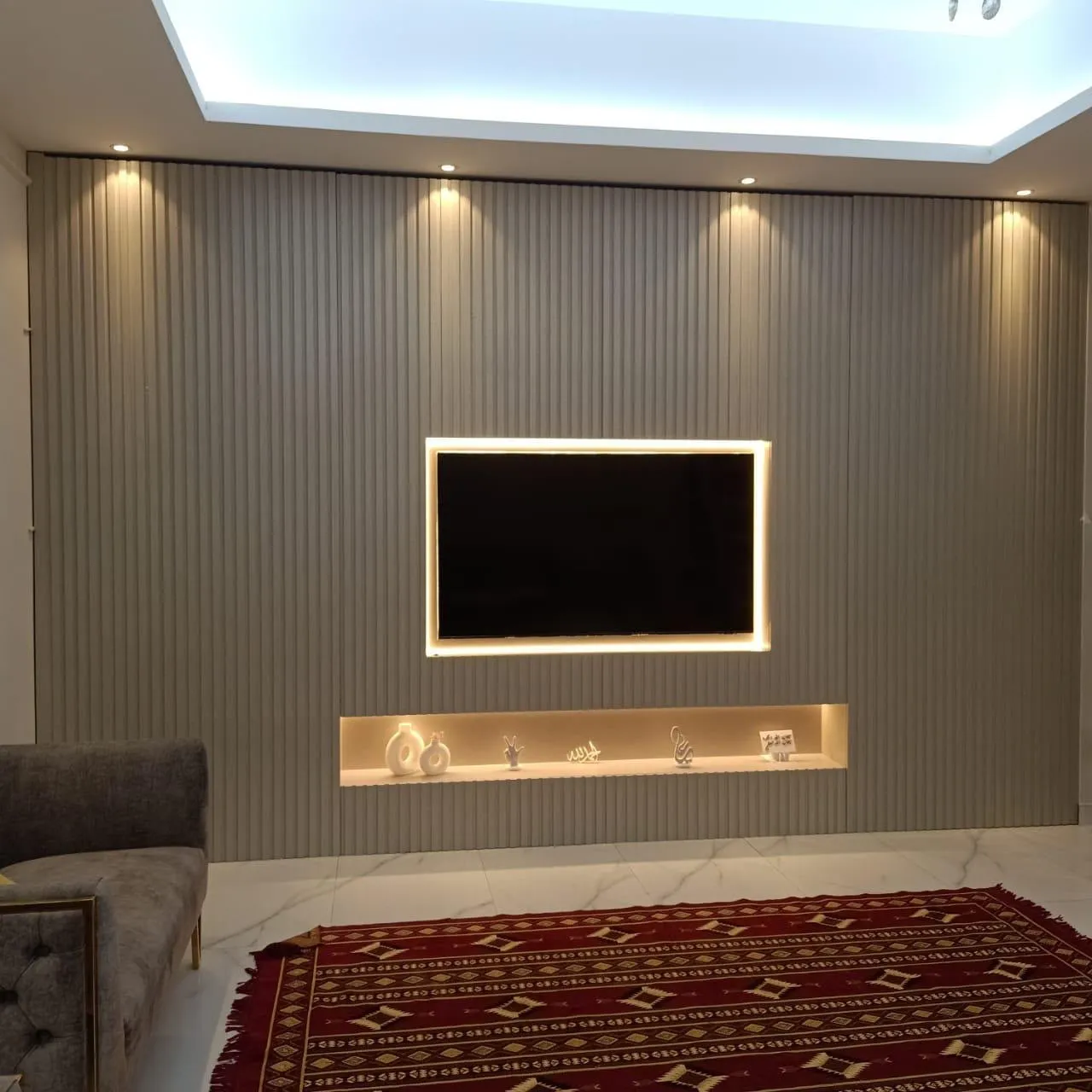
Cables and sockets behind a bracket
Every bracket hides the back of the TV, and with it the sockets, so the cable plan has to be drawn with the bracket. For a fixed bracket the sockets have to be reached with the TV on the wall, or the TV has to come off to reach them, so the HDMI and power should be connected and tested before the TV goes on, and a slack loop left. For a tilt bracket there is a little more room behind the screen. For a full-motion bracket the cables run along the arm and need a loop long enough for the full travel; a cable that pulls tight at full extension will pull the plug out.
Behind the bracket plate, a recessed power point and a recessed HDMI plate allow the TV to sit closer to the wall, a trick for slim brackets in a niche that does not leave room for plugs. The drawing needs the position of the recessed boxes in relation to the bracket plate and the TV's own socket panel, which differs between models. Cable service access explains how to keep conduits replaceable and sockets and power shows the socket layout.
Plan the soundbar at the same time. A bar hung below the TV or fixed to the bracket plate adds weight and sits in the area where a tilting screen moves, so the clearance between the two has to be drawn too. Soundbars and speakers in a media wall covers the clearances and the remote sensor.
Rented homes: brackets, fixings and permission
A bracket needs fixings, and fixings need permission. If you rent, ask your landlord or building management in writing before anything is drilled, and keep the reply. A media wall that stands on the floor and leans on the wall with few fixing points, or a freestanding unit with the bracket fixed to the unit and not to the wall, is easier to take away. Our guide to media wall versus TV unit compares the two ways of building, and full wall or compact media wall shows how small the footprint can be.
In a rented home choose the simplest bracket that does the job, because every extra feature adds fixing points. A fixed bracket on a backing board with the fewest fixings is the easiest to remove and the easiest to make good. If you want to move the wall to a new home, say so at the start: it changes how we build the backing and the fixings.
Planning for the next TV
A TV is replaced more often than a wall. Plan the bracket so that the next screen fits without opening the panel: choose a rating well above today's TV, a pattern range that covers common sizes, a backing board wide and tall enough for a bigger screen's pattern, and a niche that does not lock you to a particular size. Changing the TV later walks through the same thinking for the whole wall, and buy the TV before the media wall shows why the TV's real datasheet, not a screen size, should set the drawing.
If the new TV has a different hole pattern, an adapter plate can bridge it, as Mount-It notes, and some universally adjustable brackets cover several patterns, as One For All describes. Both depend on the backing board being large enough to take the new fixing positions, which is why we leave margin on the backing and not just behind the TV that is there today. TV size and viewing distance helps you judge how much bigger the next screen might reasonably be.
Three rooms, three brackets
A family in a flat has a TV at eye level on a plain wall between two shelving units, and no window opposite. The right bracket is a fixed one: slim, flush, the least load on the fixings and the cleanest line between the shelves. The drawing shows the sockets behind the TV, a recessed power point, a slack HDMI loop, and a backing board wider than the TV for the next size.
A household in a villa sits in a living room with a large window facing the TV, and the design puts the TV above a low fireplace. A tilt bracket is the answer: the height means the screen should face slightly down, and the tilt moves the window's reflection away. The drawing shows the tilt range, the clear space below the TV for the fireplace's heat, and the fireplace manual's clearance beside the TV manual's.
A family in an open-plan home watches from the sofa and from the dining table, which is round the corner of the wall. A full-motion bracket serves both, but only if the niche is wide enough: the drawing shows the arm reach, the swing, and the cable loop, and the niche is widened to give the screen room. The backing is wider and fixed at more points than for a fixed bracket, because the lever is longer when the arm is out.
Mistakes that spoil a bracket plan
The commonest mistake is choosing the bracket by its type and not its rating: a lovely full-motion bracket with a rating below the TV's weight is not a bargain. The second is trusting the pattern a seller tells you instead of the one on the back of the TV. The third is drawing a niche for a fixed TV and then buying a swing arm. The fourth is leaving no way to reach the sockets after the TV is up. The fifth is treating the wall as a given: a bracket is only as secure as what it is fixed into, and a backing that stops in a plaster skin carries nothing.
The sixth is forgetting everything else that hangs on the bracket's backing: a bar, a shelf, a heavy panel. The seventh is forgetting the next TV. The eighth is buying the bracket after the wall is built, when the backing is already closed and the hole pattern can no longer be checked. A bracket bought with the TV, and written on the drawing, avoids almost all of these.
Seven questions to ask before the bracket is chosen
Take these to whoever supplies the bracket and whoever builds the wall; they fit on one page and each answer goes into the quotation or onto the drawing. What is the hole pattern on the back of my TV, in millimetres, and does the bracket list it? What does the TV weigh according to its own datasheet, and what is the bracket's rating? At what arm extension does that rating apply, if the bracket has an arm? What will the bracket be fixed into, and who has confirmed that the fixing suits that wall?
How deep is the bracket with the TV on it, flat and fully extended, and does the niche leave that depth plus the air the TV's manual asks for? Where will the sockets be relative to the bracket plate, and can the plugs be reached once the TV is up? What else hangs on the same backing, such as a soundbar, a shelf or a heavy panel, and has its weight been added to the TV's?
Written answers are worth more than spoken ones, because a wall is closed over the answers. If any answer is "it depends", ask what it depends on and have that written down as well. Most bracket problems we are asked to look at come from a question nobody asked before the panels went on, not from a bad product.
What we do about it
At the free measuring visit we look at the wall, note the TV size and the pattern if you have the TV, and ask where you sit. The drawing then shows the bracket type, the backing board, the fixing points and the niche with the arm's swing if there is one, and the quotation lists the carpentry line by line, so you can see what each part is. Whether a bracket is part of the quotation is stated in the quotation, never assumed. Once you approve the drawing and agree the details, a 60% advance is paid and production starts when it is received; the remaining stage is agreed with you.
Our media walls start from AED 3,500 per project for a compact panel with a floating console in standard laminate. The final figure depends on the wall size, the finish (laminate, veneer or lacquer), marble-effect panels, lighting and any electric fireplace, and most are made in up to about ten days depending on size and design. The workshop is in Sharjah, we fit across the UAE, and the founder, Ali Haider Basra, has ten years in the trade. Wood-based boards carry a 5-year limited warranty on the boards only; hinges, runners, labour and misuse are excluded. The quotation checklist shows what a clear quotation lists, and the panels guide explains the boards the backing is built from.
To see how a bracket sits in a finished wall, browse the media walls page and TV wall units and floating consoles. The pricing tool gives an early idea of cost, and the Dubai media walls page covers visits there.
Send us the wall and the TV on WhatsApp
The simplest first step is a message. Send a photo of the wall, the TV's size and, if you have it, a photo of the back showing the holes or the model number; say whether you want the TV flat, angled or able to swing, and whether you own or rent. If a niche is part of the idea, send its rough width and depth. That is enough for us to suggest the type and the backing and to book the free visit; the consultation guide says what else is useful.
Common questions
Which TV bracket is best for a media wall?
Tilt for a TV above eye level or opposite a window, fixed for a TV at eye level, full motion only if the screen must turn. The wall behind matters as much as the type. TV height on a media wall.
What does VESA mean on a TV bracket?
It is the pattern of four holes on the back of the TV, given as horizontal by vertical millimetres. MantelMount says it is the same for fixed, tilt and full-motion mounts. Buy the TV before the media wall.
How do I know a bracket can hold my TV?
Mount-It's rule: the bracket's supported patterns include yours and its weight rating is above the TV's weight. Then ask what it is fixed into. Block wall or gypsum wall.
Can I use a full-motion bracket in a niche?
Only if the niche is drawn for the arm's reach and swing, which comes from its datasheet. Otherwise the screen meets the niche wall. TV niche ventilation.
Will a bigger TV fit the same bracket later?
It can if the rating and pattern range allow, and an adapter plate can bridge patterns (Mount-It). The backing must be big enough too. Changing the TV later.
Where do the cables go behind a bracket?
Behind the TV in recessed boxes, with a slack loop; a full-motion arm needs a loop for its full travel. Cables and service access.
Can I fit a bracket in a rented flat?
Ask your landlord or building management in writing first, and keep the reply. Fewer fixing points make removal easier. Media wall versus TV unit.

Sources & specifications
Manufacturer information applies to the named products and systems. Sources reviewed on 10 November 2026.
- MantelMount: What is the VESA mounting interface standard? (26 Apr 2024)mantelmount.com(opens in a new tab)
- Mount-It: VESA mount sizes and types guide (written 3 Jul 2024, modified 5 Oct 2026)mount-it.com(opens in a new tab)
- One For All: VESA mounting standard (7 Jan 2019)oneforall.com(opens in a new tab)
Want this planned for your home?
Consultation and measurement are free. Tell us the rooms, location and what you need; we arrange a sample visit and define the measured quotation.