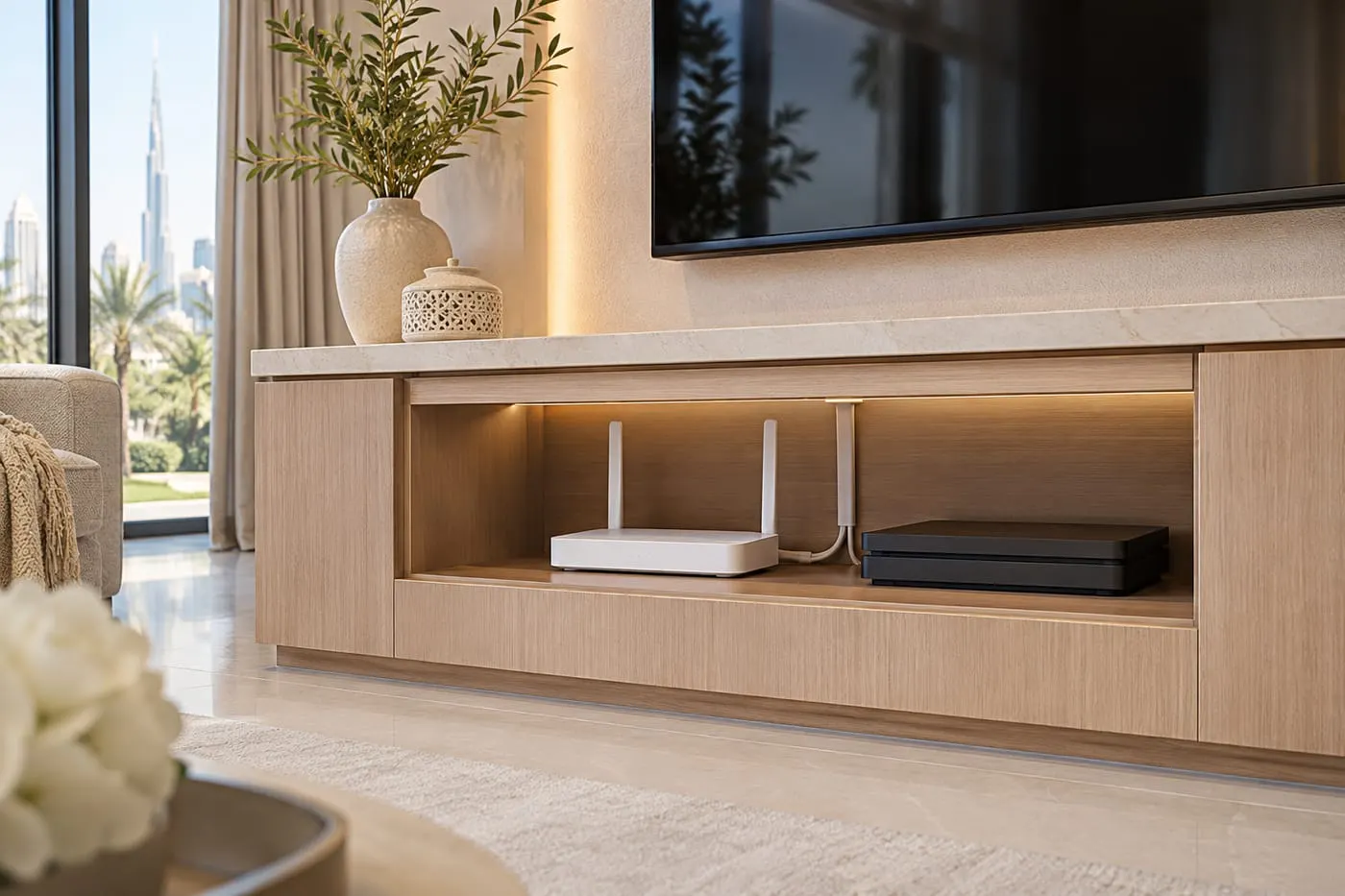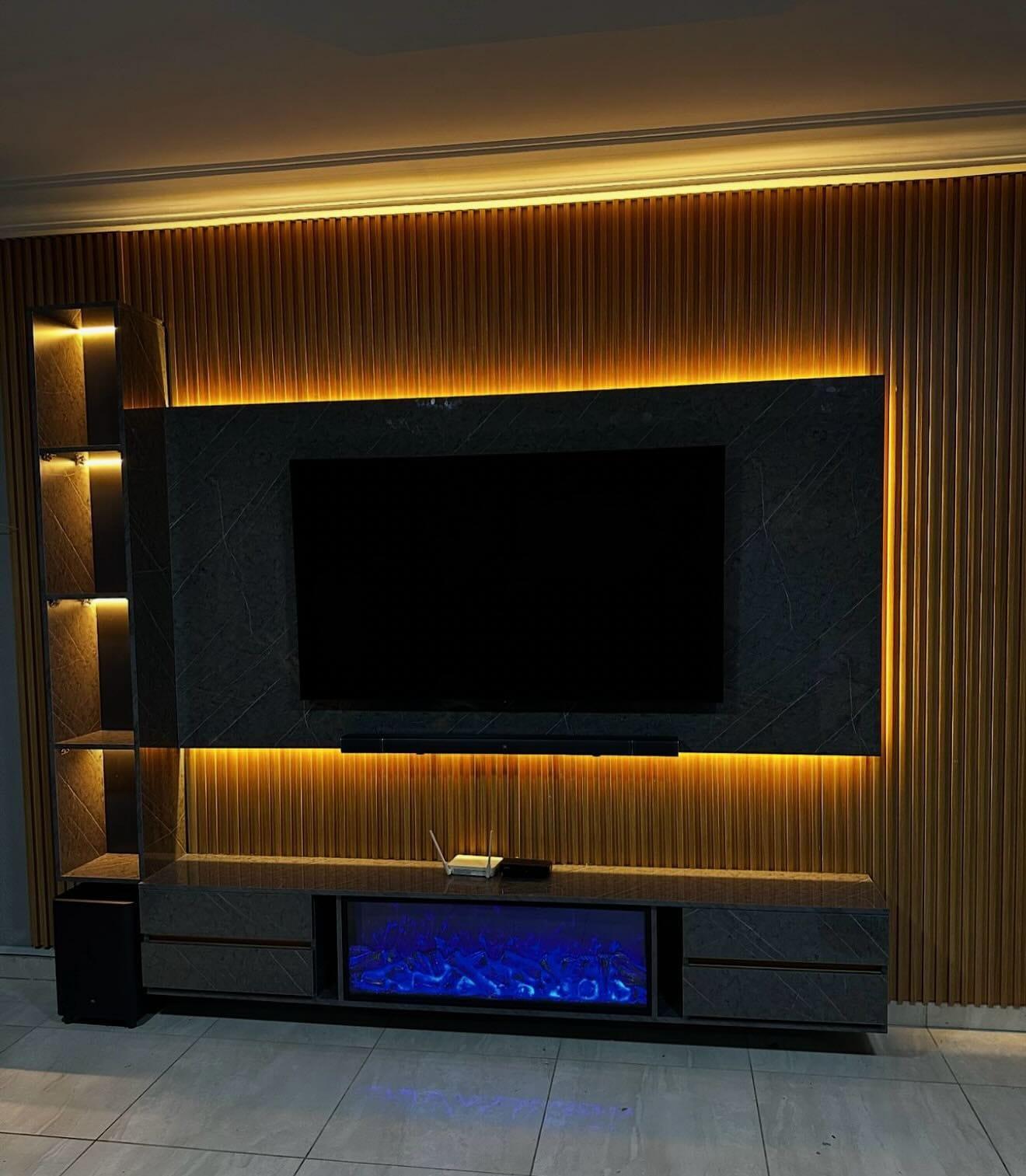
Media Walls · 20 min read · 5 October 2026
Network and data points in a media wall: what to run before it closes
Which devices in a media wall deserve a network cable, how to lay it out as a star, which category and length, where the access point goes and how to leave it tested.

By Ali Haider Basra, Founder, Al Tareeq Decor · Contact our workshop
Key takeaways
- Run a network cable to the TV and to the console before the panels close, each home-run to the router or a small switch, with one spare run and a draw string.
- Gigabit Ethernet needs Category 5 at minimum and runs up to 100 m; Category 6 drops to 55 m at 10 Gbit/s while Category 6A keeps 100 m (Wikipedia).
- Inside one living room length is rarely the problem; bends are: the radius should exceed four times the cable's outer diameter, and the datasheet wins.
- An access point on a cable, often powered over Ethernet, beats a router squeezed behind a closed front.
- Who pulls and connects the cable is named in the quotation; send a photo of the wall and of the router on WhatsApp and we plan the conduits and plates before production.
On this page
- Key takeaways
- Network points in a media wall: the short answer
- Why a cable still beats Wi-Fi inside a media wall
- Which devices get a data point
- Which devices get a network cable in a media wall
- The star layout: one cable back to the centre
- Which cable, and how far it can run
- Plates, leads and what a socket looks like inside the wall
- Where the router and switch live
- An access point on the wall: Wi-Fi without the signal trap
- Conduit, bends and keeping power apart
- Testing, labelling and what to hand over
- Three homes, three plans
- Mistakes that leave a media wall with Wi-Fi only
- What we do about it, and what the quotation must say
- Send us the wall and the router on WhatsApp
- Common questions
Network points in a media wall: the short answer
Yes, put network cable into your media wall, and do it before the panels close. A TV, a games console and a streaming box can all work over Wi-Fi (our planning guide lists them as part of the equipment you draw first), but a cable is steadier, does not care what the wall is made of and costs very little before the panels are fixed. The sensible minimum is one network point for the TV and one for whatever sits in the console, each running back to the place where the router or a small network switch lives, with a spare run and a draw string left in the conduit for the day the equipment changes.
That is the whole recommendation. The rest of this guide is the reasoning and the detail that make it work: which devices deserve a cable, how the cables are laid out, what category of cable is sensible, how far a cable can run, what a plate looks like inside a media wall, where a Wi-Fi access point belongs, how to bend a conduit without ruining the cable, and how to leave the job tested and labelled. It does not recommend a router, a provider or a speed. It also does not make a promise about who pulls the cable; that goes in the quotation, and we explain why below.
If you only want the short version of the cabling story, cables and service access covers the conduits, HDMI and power for the whole wall, and hiding a router and a console deals with where the box itself goes. This guide sits between them: it is about the data cable itself, from the router to every screen and speaker that wants a connection.
Why a cable still beats Wi-Fi inside a media wall
Wi-Fi is convenient, and for a phone on a sofa it is usually fine. A media wall is a harder place for it, for three reasons that are about the build rather than the router. The equipment sits inside a cabinet, and a cabinet with a closed or metal front weakens the signal. Our cables guide makes the same point: a timber or glass front lets the signal out, while a metal one and a crowded shelf hold it in. The wall is a structure with boards and frames around the screen. And the TV is usually the device that streams the most, so it is the one that suffers most from a weak signal.
A cable removes all of this. It does not depend on the router's position, on what stands between the router and the TV, or on how many devices in the flat are using the radio at the same time. It is also the connection that survives a change of TV, as changing the TV later suggests planning for, and a change of router, because the cable stays and only the box at the end moves. You pay for it once, when the wall is open, and every future piece of equipment benefits.
A cable does not replace Wi-Fi: phones, laptops and tablets still need it, and the best plan has both. In a media wall the cable carries the fixed devices (TV, console, box) and also feeds an access point that spreads Wi-Fi to the rest of the room, which we come back to below. The two work together, and the media wall, as what a media wall is explains, is a good place to put the access point because it already has power, ventilation and a place for cabling.
Which devices get a data point
Start from the list of everything that will stand in or near the wall, the one buying the TV first also depends on, the same list you draw for HDMI and power. For each device, ask whether it uses the network and how important the connection is. The TV is the first: a smart TV streams, updates and sometimes casts, and a wired connection avoids many of the dropouts people blame on the provider. A games console downloads large files and plays online, and benefits from a cable more than almost anything else in the room. A streaming box or media player, a network-connected receiver or amplifier and a smart speaker or soundbar that connects over the network are all candidates.
A Wi-Fi access point is the one that is easiest to forget and often the most valuable. If the router lives in a cupboard at the entrance, a cable to an access point in the living room can improve coverage across the whole home. Other devices that sometimes join the list are a network switch, which fans one cable out into several, a network storage box for photos and films, and a camera or doorbell if the wall is also a convenient place for a hub. Each is optional; the list is yours to decide.
The table below sets out a sensible starting plan. The right-hand column is the thing to write on the drawing for each one. Notice that nothing here asks for a number of points in the wall beyond what the devices need, with one spare: more points cost more cable, more labelling and more clutter, and the aim is a tidy wall, not a full one.
Which devices get a network cable in a media wall
Smart TV
- Why a cable helps
- Steady streaming and updates
- What goes on the drawing
- A recessed plate behind the TV, a lead to the TV's port
Games console
- Why a cable helps
- Large downloads and online play
- What goes on the drawing
- A point in the console, near the console's bay
Streaming box or player
- Why a cable helps
- Reliable playback
- What goes on the drawing
- A point in the equipment cabinet
Network receiver or speaker
- Why a cable helps
- Control and streaming over the network
- What goes on the drawing
- A point at the receiver's position
Wi-Fi access point
- Why a cable helps
- Coverage across the room and beyond
- What goes on the drawing
- A cable to a high shelf, the ceiling or a cabinet top
A spare
- Why a cable helps
- The next device nobody has bought yet
- What goes on the drawing
- A capped, labelled run with a draw string
A planning list in our words; the quotation names who supplies and connects each device and cable.
The star layout: one cable back to the centre
The way to wire a network is a star. Every point has its own cable, and every cable runs back to one place, usually the router or a small switch in the equipment cabinet. It is the opposite of a chain, where one cable runs from device to device and a fault anywhere affects everything beyond it. In a star, a damaged cable takes out one device, a change affects one cable, and a replacement is a matter of pulling one new cable through its own conduit.
For a media wall the star usually has its centre inside the wall, in the equipment cabinet, or in a cupboard elsewhere in the home with a single trunk of cables running to the wall. If the router is in the wall, the cables to the TV, the console and the access point are short. If the router is elsewhere, each of those points needs a cable from that other place, and a cable has a maximum length, which we come back to. In either case, the drawing should show the centre, the points and the route of each cable between them.
The drawing below is a front elevation of a wall with the centre on the left, three cables running to the TV, the console and an access point, and a note for each of the three rules. The names and the layout are an example; yours will differ. What does not change is the idea: home runs, one cable per device and a spare.
- 1. The router cabinet is the centre of the star.
- 2. One cable runs from the cabinet to the TV.
- 3. Another runs to the console and the devices in it.
- 4. A third runs to the access point that spreads Wi-Fi to the room.
- 5. A spare run with a draw string is left for the next device.
Which cable, and how far it can run
Network cable is sold in categories, and for a media wall the choice is simpler than the catalogue suggests. Wikipedia's page on Ethernet over twisted pair states that 100BASE-TX and 1000BASE-T were both designed to require a minimum of Category 5 cable and specify a maximum cable length of 100 metres. So the floor is Category 5, and anything better is a margin. Category 6 is a common sensible choice for new work, and Category 6A gives more headroom again.
The length limit is the thing worth understanding. Wikipedia's page on Category 6 cable says that when used for 10/100/1000BASE-T the maximum allowed length is 100 metres, and explains that this consists of 90 metres of permanent link, which is typically solid horizontal cabling between two connectors, plus 10 metres in total of stranded patch cordage. It also says that Category 6 has a reduced maximum length of 55 metres when used for 10GBASE-T, while Category 6A is specified for 500 MHz, twice that of Category 6, allowing 10GBASE-T to run for the same 100-metre maximum distance.
What does that mean for a media wall? Inside a single living room the length is almost never the problem: a cable inside one wall is a few metres. The limit starts to matter when the router is in another part of a villa or on another floor, and the cable has to run a long way, round corners, through ceilings. In that case the run is measured along the route, not in a straight line, and the 90 plus 10 split is a reason to plan the route carefully. If an office media wall or a large villa needs the fastest network speeds over a longer run, a higher category is the safer choice, and the maker's datasheet is what confirms it.
We do not recommend a speed or a brand here. The point is to match the cable to the length and to the future: a cable that is only just sufficient today is a cable you pull again in a few years, and the cost of a better category now is small compared with the cost of opening the wall.
- 1. Category 6 at up to 1 Gbit/s runs up to 100 m: 90 m fixed plus 10 m of leads.
- 2. Category 6 at 10 Gbit/s is limited to 55 m.
- 3. Category 6A carries 10 Gbit/s for the full 100 m.
- 4. A cable inside one media wall is only a few metres, far below every limit.
Plates, leads and what a socket looks like inside the wall
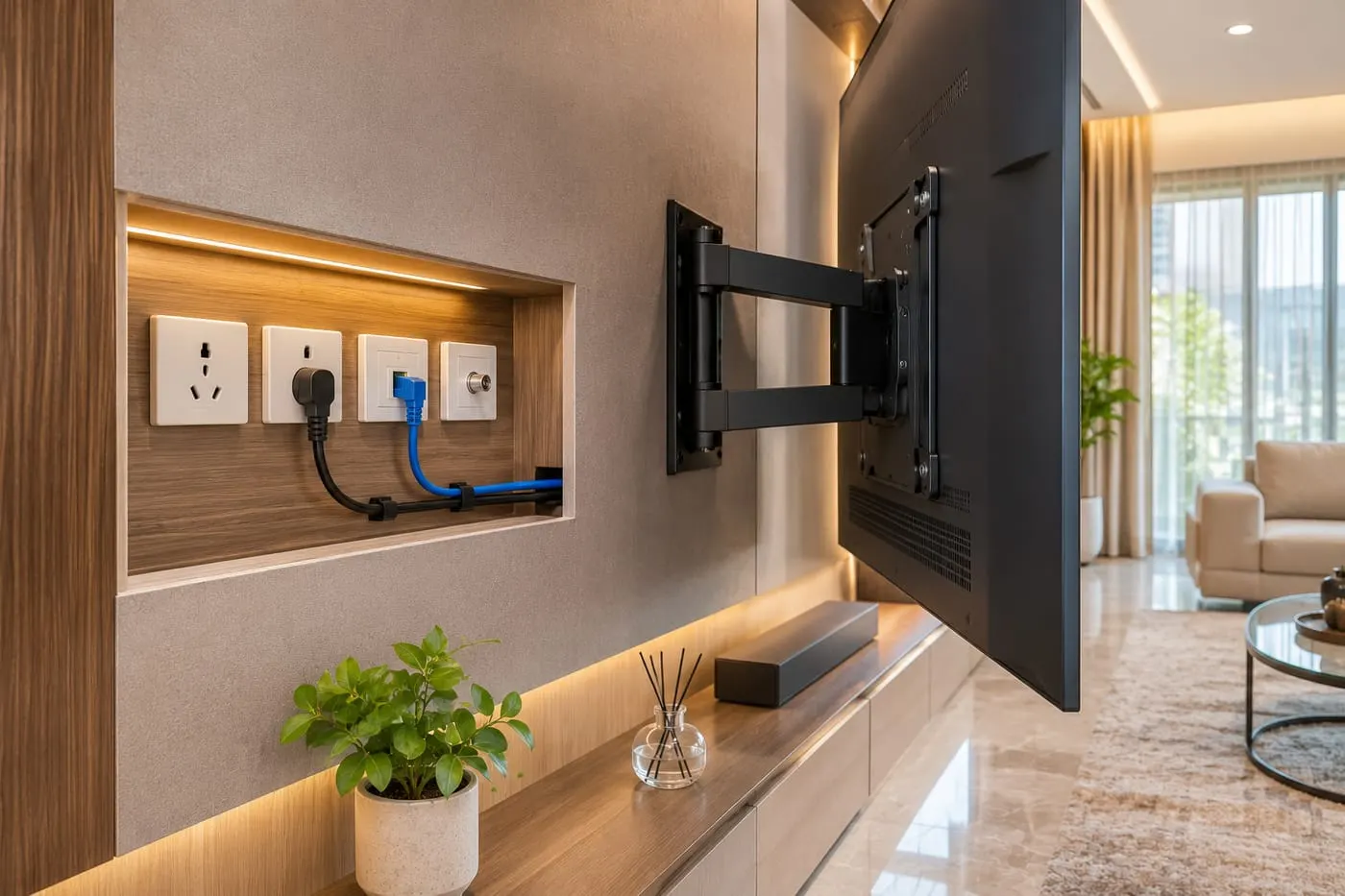
At the end of each cable is a network outlet, a small plate with a socket (an RJ45 port) that a short lead plugs into. In a media wall there are two good places for them. Behind the TV, a recessed plate sits in the panel or the backing and a short lead runs to the TV's port; recessing it means the TV can sit close to the wall without the lead pushing it forward. In the equipment cabinet, a plate or a small patch panel at the back receives the long cables from elsewhere, and short leads connect the devices.
This is where the structure Wikipedia describes becomes practical: the permanent cable runs from the plate to the centre, and short leads, the 10 metres of patch cordage in the 90 plus 10 rule, connect the plate to the device. Leads are the part you replace; the permanent cable is the part you do not touch. So the permanent cable goes in the conduit and stays, and the leads are visible, short and cheap.
A recessed plate must be drawn in relation to the bracket and the TV's own port panel, which differs between models. TV bracket types explains how the bracket plate and the plugs sit relative to each other, and sockets and power shows the power points that sit beside the network plates. Keep power and network plates apart: they are best on separate sides of the bracket plate, with the conduits separated as well, as our cables guide recommends.
Where the router and switch live
The centre of the star is a router, often with a small switch beside it. Where it lives decides everything else. If it lives in the wall, give it a cabinet with a front that lets signal through, some ventilation, a power point and room for the leads. The detail of hiding it is in hiding a router and a console; here the point is the cabling: the router's cabinet needs a conduit for each cable that leaves it, and each is labelled.
If it lives elsewhere, as it often does when the provider fits it near the entrance, then the media wall's cables have to reach it. That is a longer run, possibly through the ceiling (see also where the wall meets the ceiling), and its route has to be agreed with whoever owns the building and with whoever pulls the cable. In a rented home, ask your landlord or building management in writing before anything is routed through walls or ceilings. If the answer is no, a media wall that carries its own router and access point, linked to the provider's box by one cable or by Wi-Fi, avoids running long cables through the building.
Wherever it is, give it air. A router, a switch and a streaming box produce heat like any electronics, and a cabinet that traps it shortens their life. TV ventilation in a niche covers the logic of air in and air out, and the same logic applies to a router cabinet: a gap at the bottom, a gap at the top and no solid doors.
An access point on the wall: Wi-Fi without the signal trap
A Wi-Fi access point is a device that takes a network cable and turns it into Wi-Fi. It is the neatest way to cover a living room from a media wall, because it can sit high, in the open, away from metal and equipment, with one cable behind it. Many access points are powered through the network cable itself, using Power over Ethernet. Wikipedia describes PoE as any of several standards or ad hoc systems that pass electric power along with data on twisted-pair Ethernet cabling, allowing a single cable to provide both a data connection and enough electricity to power networked devices such as wireless access points, IP cameras and VoIP phones.
That is helpful for a media wall: a single cable to an access point on the top of a cabinet or in the ceiling carries both data and power, and no power point is needed there. The same page notes that the standards require Category 5 cable or better for high power levels, but allow Category 3 cable if less power is required, which is another reason to choose a good category for the permanent cable. Whether your access point uses PoE, and which source feeds it, is on the maker's datasheet, not something we can state for every model.
The drawing below compares two ways of doing it. On the left, a router tucked into a cabinet with a closed metal front and a packed shelf, where the signal has to fight its way out. On the right, a router behind a front that lets signal through, or an access point on a cable placed in the open. The rings are schematic and show no range. Our own advice, from the way we build: a network cable to an access point beats a router squeezed behind a console.
- 1. A router behind a closed metal front sends its signal into a barrier.
- 2. A timber or glass front lets the signal through.
- 3. An access point on a cable sits in the open and spreads Wi-Fi to the room.
Conduit, bends and keeping power apart
A network cable in a media wall should run in a conduit, a pipe that holds it, not buried bare in the board. The reason is the same as for HDMI: a cable in a conduit can be pulled out and replaced, and a cable buried in the wall cannot. Leave a draw string in each conduit, as in the projector wall where the HDMI route needs the same, and fit one more conduit than you need, as the cable guide advises. The conduits should be smooth inside and large enough for the cable and the plug if the plug has to pass through.
The one rule about bends is simple: sweep, do not fold. Wikipedia's page on Category 6 cable says the cable must not be kinked or bent too tightly, and that the bend radius should be larger than four times the outer diameter of the cable. Other sources and datasheets give a larger figure for particular cables, so the cable's own datasheet is the number that counts. In practice, it means the conduit bends in wide curves, not square elbows, and that a cable pulled round a sharp corner will carry the damage even if it still seems to work.
Keep network cables apart from mains power where you can. They cross when they must, and cross at right angles, but they do not run side by side for long, in the same conduit or tied together. Our cables guide explains the separation. And label every conduit at both ends, so that when someone opens the wall in five years they know which is which.
- 1. A sharp elbow folds the cable and damages it.
- 2. A wide sweep keeps the cable's shape.
- 3. Conduits carry a draw string so cables can be replaced.
- 4. The cable's own datasheet gives the minimum radius.
Testing, labelling and what to hand over
A cable that has been pulled and not tested is a hope, not a fact. Every network run should be tested before the panels close, with a simple tester that checks that all the wires are connected in the right order and that the cable is not damaged, or with a test that confirms the speed it carries. The result is written down for each cable. If there is a fault, it is found when the wall is open and the fix costs minutes.
Each cable is labelled at both ends with the same name, and the names are written on the drawing and on a small card left with the equipment: TV, console, access point, spare. If the wall is ever opened, or the router is changed, or an installer arrives, the labels save hours. The installation day checklist and the handover checklist show where this fits in the day, and inspecting the finished wall lists what to check yourself.
Ask for the plan on one page: where every cable starts, where it ends, its category, its label and its test result. That page is worth more in three years than any of the equipment.
Three homes, three plans
A family in a flat has the router in a cupboard by the front door and the TV wall at the far end of the living room. The sensible plan, in a small living room or a large one, is one cable from the cupboard to the media wall, in a conduit through the ceiling void or a surface trunking agreed in writing with the landlord, with a small switch in the media wall that feeds the TV, the console and an access point. The long run is the only one that matters, and it is measured along its route.
A household in a villa has the router upstairs and a media wall in a large living room. The cable has to cross a floor or run around the stair, and the length is worth measuring: if it approaches the 100-metre limit, a different plan is better, such as an access point upstairs and a second one in the media wall. For the wall itself, the drawing is the same as the flat's: a star, labelled, with a spare.
A family with a majlis and a separate family room wants one cable to each, and a network that is easy to move in a few years. They choose Category 6A for the long runs and Category 6 for the short ones, run everything to one cabinet in the family room, and leave two spare runs with draw strings. A majlis wall with a large screen at one end and a sound system at the other benefits most from this kind of planning.
Mistakes that leave a media wall with Wi-Fi only
The first is deciding after the wall is closed. A cable that costs almost nothing to run before the panels go on costs a great deal to add afterwards, and sometimes cannot be added at all. The second is relying on a router tucked behind a metal front. The third is running a single cable for everything and joining it with a switch where there is no ventilation. The fourth is a sharp conduit bend that damages the cable. The fifth is running network and mains power together for a long distance in one conduit.
The sixth is no draw string and no spare. The seventh is no labels, which turns a simple change into an exploration. The eighth is assuming that someone else has the cable in hand: if the provider or an IT installer is pulling the cable, the drawing must say when they are on site and what they have to reach, because panels cannot close until they have finished. And the ninth, for renters, is routing cable through a wall or ceiling without the landlord's written permission.
What we do about it, and what the quotation must say
At the free measuring visit we note, as the measuring visit guide lists, where the router is, how the cable could reach the wall and what the wall is made of. The drawing shows the conduits, the recessed plates, the cabinet, the ventilation and the routes, and the quotation lists the carpentry line by line. Who supplies, pulls and connects the network cable itself is a separate line in the quotation, named there, never assumed; we are a media wall workshop and we do not offer standalone network or electrical jobs. If your provider or an IT installer does the cabling, we coordinate the access so the panels do not close before they have finished. Once you approve the drawing and agree the details, a 60% advance is paid and production starts when it is received; the remaining stage is agreed with you.
Our media walls start from AED 3,500 per project for a compact panel with a floating console in standard laminate. The final figure depends on the wall size, the finish (laminate, veneer or lacquer), marble-effect panels, lighting and any electric fireplace, and most are made in up to about ten days depending on size and design. The workshop is in Sharjah, we fit across the UAE, and the founder, Ali Haider Basra, has ten years in the trade. Wood-based boards carry a 5-year limited warranty on the boards only; hinges, runners, labour and misuse are excluded. The quotation checklist shows what a clear quotation lists, and the price guide explains how the figure builds up.
Browse the media walls page and TV wall units and floating consoles, try the pricing tool, and see the Abu Dhabi media walls page for visits there.
Send us the wall and the router on WhatsApp
The easiest first step is a message. Send a photo of the wall, a photo of where the router is now and the TV size, say which devices will stand in the wall (console, box, soundbar) and whether you own or rent. If your provider has told you where their box must stay, say so. That is enough for us to suggest the points and the route and to book the free visit; the consultation guide lists the rest.
Common questions
Should I put an Ethernet cable in my media wall?
Yes: a cable to the TV and the console, run before the panels close, with a spare and a draw string. It is steadier than Wi-Fi and cheap while the wall is open. Cables and service access.
Which cable category should I use?
Gigabit Ethernet needs Category 5 at minimum (Wikipedia); Category 6 is a sensible choice and Category 6A gives more headroom on long runs. The datasheet confirms it. Quotation checklist.
How long can a network cable be?
Up to 100 metres for gigabit on Category 6, of which 90 m is permanent link; at 10 Gbit/s Category 6 is limited to 55 m. A media wall run is usually a few metres. Sockets and power.
Where should the Wi-Fi router go?
Behind a front that lets signal through, with air, or replaced by an access point on a cable placed in the open. Hiding a router and a console.
What is Power over Ethernet?
A way to pass power and data over one cable, used by devices such as wireless access points (Wikipedia). Check the access point's datasheet for support. TV ventilation in a niche.
Who installs the network cable?
It is a separate line in the quotation, named there; if your provider or IT installer does it, we coordinate access before the panels close. Media wall step by step.
Can I add network points to a rented flat's wall?
Ask your landlord or building management in writing before cable goes through walls or ceilings. A media wall with its own access point avoids long runs. Landlord permission.

Sources & specifications
Manufacturer information applies to the named products and systems. Sources reviewed on 10 November 2026.
- Wikipedia: Category 6 cable (100 m limit, 90 m + 10 m, 55 m at 10GBASE-T, bend radius; edited 13 Jan 2026)en.wikipedia.org(opens in a new tab)
- Wikipedia: Ethernet over twisted pair (Category 5 minimum for 1000BASE-T, 100 m; edited 26 May 2026)en.wikipedia.org(opens in a new tab)
- Wikipedia: Power over Ethernet (power and data on one cable; edited 28 Oct 2026)en.wikipedia.org(opens in a new tab)
Want this planned for your home?
Consultation and measurement are free. Tell us the rooms, location and what you need; we arrange a sample visit and define the measured quotation.